
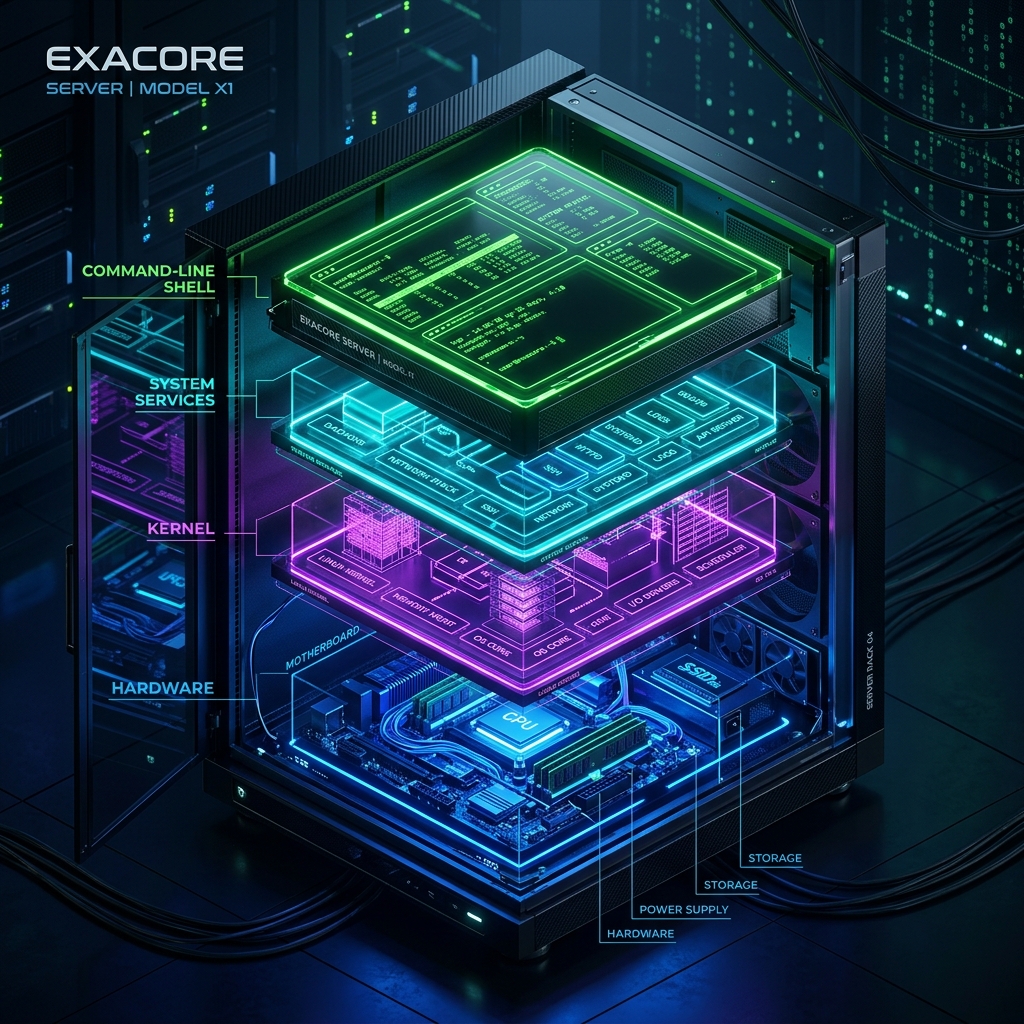
Layers of Linux: From Silicon to Shell
To the uninitiated, a Linux system might seem like a digital monolith—a black screen with a blinking cursor. But underneath that simplicity lies a “meticulous chaos” of logic, a stack of layers that must perform a perfectly timed symphony every time you press the power button.
Understanding Linux isn’t just about memorizing commands; it’s about understanding the hierarchy of control. Let’s deconstruct the system from the bottom up.
1. The Silicon Foundation: The Wakeup Call
The journey begins at Layer 0: The Hardware. When you hit the power button, the motherboard sends a signal to the CPU, which resets its registers and looks at the Reset Vector.
- The BIOS/Firmware Phase: This is the system’s “wakeup call.” It runs the POST (Power On Self Test) to ensure your RAM, NICs, and storage are present and accounted for.
- The MBR (Master Boot Record): A mere 512 bytes—the machine’s heartbeat. It holds the partition table and tells the BIOS where to find the next conductor in the orchestra.
2. The Maestro: Kernel & Bootloader
Once the hardware is initialized, control passes to the Bootloader (usually GRUB2). This is the bridge between physical silicon and the operating system.
- GRUB2: The gatekeeper. It reads its “score” from
/boot/grub2/grub.cfgand loads the vmlinuz (the compressed kernel) into memory. - The Initramfs Avant-Garde: Before the real root filesystem is mounted, a temporary RAM-based filesystem (initramfs) is loaded. It brings in the essential “roadies”—drivers for RAID, SCSI, or LVM—so the kernel can eventually talk to the actual hard drive.
3. The System Architect: Systemd
Once the Kernel takes over, it fires up the first process: systemd (PID 1). This is the grand organizer of the user space.
Systemd doesn’t just start services; it manages Targets (the modern equivalent of runlevels).
- multi-user.target: The standard operational state for servers.
- graphical.target: The layer that brings in the GUI for desktops.
Systemd initializes the network, sets the hostname, and ensures that the “chaos of logic” remains orderly as services spin up in parallel.
4. The Interface: The Shell
This is where the user lives—The Shell. Fluency here is a skill often neglected or considered “arcane,” but it is the ultimate superpower for an engineer.
- Bash & CLI: The bridge between human intent and machine execution.
- The Art of Redirection: Using pipes (
|), redirects (>), and standard streams (stdout,stderr) to chain simple tools into complex data-processing pipelines. - Job Management: The ability to suspend, background, and kill processes (
Ctrl-Z,fg,bg) gives you total control over the system’s workload.
The Human Element: Philosophy & Tools
Beyond the technical layers lies the Philosophy of Open Source. Linux is built on the idea of transparency and choice. This culture is best represented by the legendary tools we choose to live in:
- Vim vs. Emacs: The great terminal showdown. Whether you prefer the modal efficiency of Vim or the extensible universe of Emacs, these tools are the primary interfaces for the modern power user.
Conclusion: Fluency as a Superpower
Linux is a stack of abstractions. From the 20-bit address lines of real-mode bootup to the high-level orchestration of systemd, each layer serves a purpose.
Fluency on the command line isn’t just about typing fast; it’s about understanding how to traverse these layers to debug, optimize, and create. In the world of Linux, if you can recall and use the items in this hierarchy, you don’t just use a computer—you command it.
(source: [Mimir Knowledge Base - 111 Linux])